


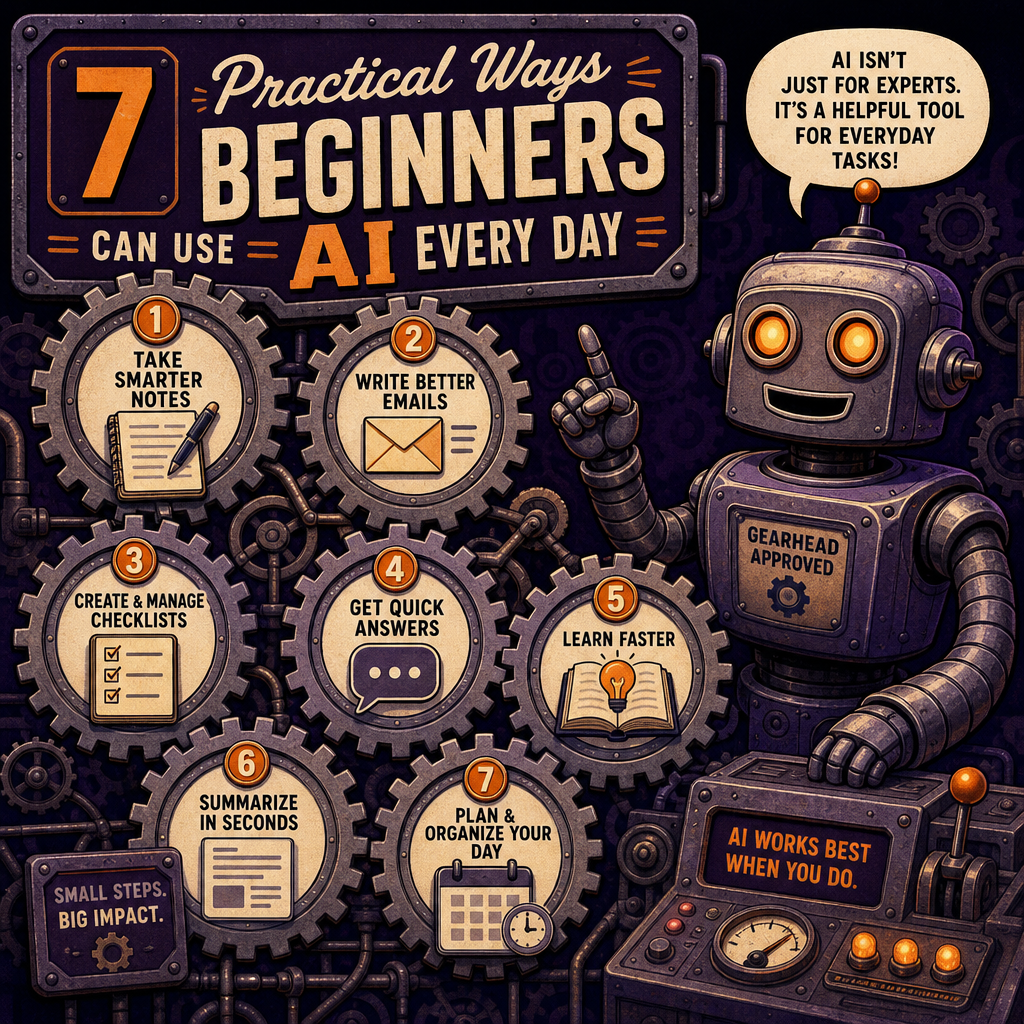
You don’t need an advanced technical background to benefit from AI. In fact, many of the most useful applications are simple: organizing information, improving communication, and getting unstuck.
Here are seven practical ways beginners can start using AI today.
1. Turn Rough Notes Into Something Usable
Most people don’t think in polished paragraphs. They think in fragments, ideas, reminders, and unfinished thoughts.
You can give AI rough notes and ask it to organize them:
Turn these notes into a clear project summary with sections for goals, open questions, risks, and next steps.
This is useful after meetings, during brainstorming, or whenever your notes look like they were written during an earthquake.
You should still review the result, but AI can save significant time on the first organizational pass.
2. Improve Emails Before You Send Them
AI can help make an email clearer, shorter, friendlier, or more professional.
Try prompts such as:
Rewrite this email so it sounds direct but not rude.
Or:
Make this message more concise while keeping the important details.
You can also ask AI to identify unclear wording:
Review this email and point out anything that could be misunderstood.
The goal isn’t to make every email sound robotic and over-polished. It’s to communicate more clearly while keeping your own voice.
3. Summarize Long Information
AI is useful for creating a first-pass summary of documents, articles, meeting notes, policies, and other text.
For example:
Summarize this document in five key points. Then list any deadlines, responsibilities, or decisions mentioned.
You can also request different levels of detail:
Give me a two-sentence summary first, followed by a more detailed explanation.
Summaries are especially helpful when you need to understand the main point before deciding whether the full material requires closer review.
4. Create Checklists
Whenever a task has multiple steps, AI can help turn it into a checklist.
Try:
Create a launch checklist for a small business website. Include content, design, accessibility, testing, analytics, backups, and post-launch tasks.
You can then ask:
Organize this checklist by what must happen before launch, on launch day, and after launch.
Checklists reduce the odds of forgetting small but important details — the classic “everything looked good until production” problem.
5. Brainstorm Ideas Without Starting From a Blank Page
AI is useful when you need possibilities, not just one answer.
You could ask:
Give me ten blog topics for a local accounting firm that wants to attract small-business clients.
Then narrow the results:
Pick the five strongest ideas for search traffic and explain why.
Or:
Turn these ideas into a three-month content calendar with one post per week.
AI doesn’t replace strategy, but it can help generate options quickly so you have something concrete to evaluate.
6. Learn New Topics in Plain Language
You can ask AI to explain unfamiliar subjects at different levels.
For example:
Explain application programming interfaces (APIs) to someone who understands websites but has never written code.
Then continue with:
Now explain the same concept using a restaurant analogy.
Or:
Give me a practical example of how a small business might use an API.
This makes AI useful as an on-demand tutor. You can ask follow-up questions, request examples, and keep going until the concept makes sense.
7. Prepare for Meetings and Decisions
AI can help you prepare before a meeting by organizing your thoughts and identifying gaps.
Try:
Help me prepare for a meeting with a potential client. Create a list of discovery questions about their goals, budget, timeline, current tools, and biggest problems.
After the meeting, you can use AI to organize your notes:
Turn these meeting notes into decisions, action items, owners, deadlines, and follow-up questions.
For decisions, ask:
Compare these three options using cost, risk, complexity, maintenance, and long-term flexibility.
This creates a more structured starting point for human decision-making.
Protect Private and Sensitive Information
Before using AI, think about what information you’re sharing. Avoid pasting passwords, credit card numbers, Social Security numbers, private keys, or confidential information unless you’re using a system specifically approved for that type of data.
When possible, remove names and identifying details:
Replace the client’s name with “Client A” and summarize the situation.
The right privacy practices depend on the tool, account, industry, and information involved. Businesses should establish clear guidelines before employees use AI with customer, employee, legal, medical, or financial data.
Start Small and Build From There
You don’t need to redesign your entire workflow around AI on day one. Start with one repetitive task — rewriting emails, organizing notes, creating checklists, or summarizing information.
Once you understand what works, expand gradually. The best AI workflow is usually not the most complicated one. It’s the one you’ll actually use.
AI is a tool for reducing friction. Use it to get past the blank page, organize scattered information, and spend more time on decisions that require human judgment.
A Simple Starting Prompt
If you’re not sure what to ask, start with:
I’m trying to [describe your goal]. Help me figure out the best way to approach it. Ask me any important questions before giving me a recommendation.
That single prompt is enough to begin a useful conversation.